Tomodachi Face Paint, Made Easier.
Use the Tomodachi face paint grid tool to turn any image into a colour-coded Tomodachi Life face paint reference. It maps your art to the Mii face canvas, matches the Tomodachi face paint palette, and gives you cells to follow in-game. No uploads, no accounts, runs in your browser.
How the Tomodachi Face Paint Tool Works
Upload a Tomodachi face paint reference
Start from any photo or artwork for your Mii. The Tomodachi face paint conversion happens in your browser, so your image never leaves your device.
Get a Tomodachi face paint grid
We map your image to the Mii face canvas shape and quantize colours to the in-game Tomodachi Life face paint palette.
Recreate Tomodachi face paint in-game
Each cell matches one brush dab. Hover for colour names, download the Tomodachi face paint reference, and recreate it in-game.
Popular Tomodachi Face Paint Character Guides
Step-by-step Tomodachi face paint references for trending Mii characters
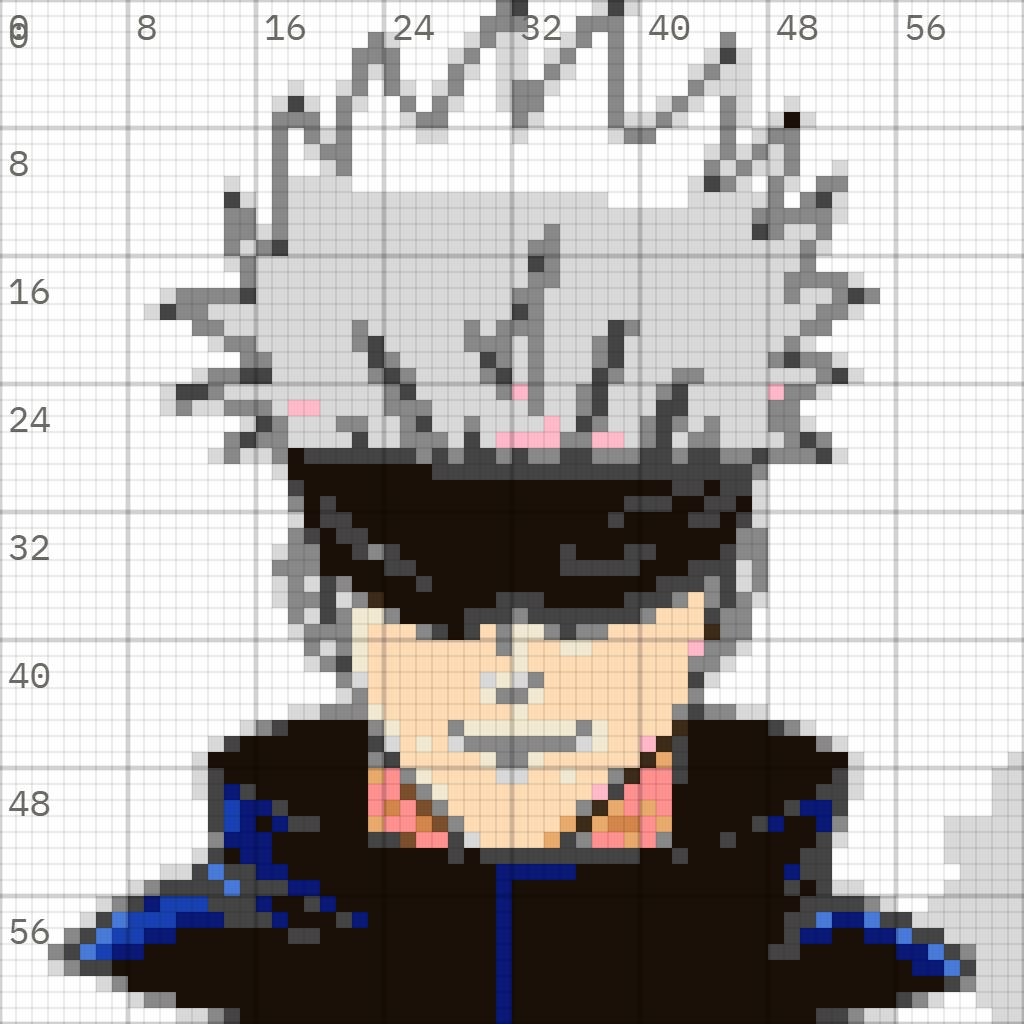
Satoru Gojo
Jujutsu Kaisen
Satoru Gojo Tomodachi face paint guide for recreating this Mii in Tomodachi Life.
Hatsune Miku
Vocaloid
Hatsune Miku Tomodachi face paint guide for recreating this Mii in Tomodachi Life.
Walter White
Breaking Bad
Walter White Tomodachi face paint guide for recreating this Mii in Tomodachi Life.
Link
The Legend of Zelda
Link Tomodachi face paint guide for recreating this Mii in Tomodachi Life.
Barack Obama
Real Life
Barack Obama Tomodachi face paint guide for recreating this Mii in Tomodachi Life.
Open the Tomodachi Face Paint Grid Tool
Build a Tomodachi Life face paint grid from your image, then use the Tomodachi face paint guide as a browser-based reference while you draw on your Mii.
Unlike TomoKore-style save-file editors, this is a browser reference tool: plan the grid, then recreate the paint safely in-game.
Start the Tomodachi face paint grid →Community Tomodachi Face Paint Designs
Tomodachi face paint designs and Tomodachi Life face paint references submitted by players
Gallery in progress
We are preparing a searchable Tomodachi face paint gallery for shared Mii designs.
Tomodachi Face Paint FAQ
How do I use Tomodachi face paint layers?↓
The Tomodachi face paint editor has two layers — top and bottom. Draw your element, then use the Select tool (dotted box) to pick it, and press ZR to move it between layers. This lets you control whether a Tomodachi face paint detail appears above or below other artwork. See our full Tomodachi face paint layers guide for a step-by-step walkthrough.
How do I mirror Tomodachi face paint?↓
Tomodachi Life has no automatic mirror mode. The workaround: create one side of your Tomodachi face paint design, use the Select tool to highlight the artwork, press + to duplicate it, then use ZL to flip it horizontally. Drag the flipped copy to the opposite side of the face. This works for hair, eyebrows, markings — anything symmetrical. Our Tomodachi face paint mirror guide covers this with screenshots. Read the mirror guide.
Can Tomodachi face paint cover hair?↓
Yes, but only partially. Tomodachi face paint can cover some facial features but not the nose, and it cannot draw over the Mii's preset hairstyle outside the face canvas. Use the 'Draw over Mii features' toggle below the preview to place Tomodachi face paint beneath or on top of preset features. Setting all facial features to 'none' in Mii Maker gives you the cleanest Tomodachi face paint canvas. See the hair guide.
Is Tomodachi Life: Living the Dream the sequel?↓
Yes. Tomodachi Life: Living the Dream (2026, Nintendo Switch) is the direct sequel to Tomodachi Life (2013, Nintendo 3DS). It keeps the same core island life formula but adds Switch-quality graphics, expanded Mii customisation including the Tomodachi face paint system, a new Palette House for custom designs, and significantly more activities and island features.
Can I share my Tomodachi face paint designs?↓
The game has no direct online sharing. You can download a Tomodachi face paint reference grid from this tool and share the image directly. Our community gallery (coming soon) will let you post finished Tomodachi face paint designs for others to recreate.
What stylus works best for Tomodachi Life face paint?↓
Any capacitive stylus works with the Nintendo Switch touchscreen. For detailed Tomodachi face paint work, a fine-tip stylus (1-2mm) gives much more precision than a finger. Using a Tomodachi face paint reference grid from this tool means you need less precision — you're following coordinates, not freehanding.